Define the motion.
Choose a focused workflow such as inbound follow-up, outbound prospecting, or opportunity follow-through. Configure calls, emails, SMS/MMS, and manual tasks, with timing appropriate to the buyer.
 (888) 815-0802
Guided Selling · Salesforce Sales Engagement
Turn your sales playbook into Salesforce-connected sequences for calls, emails, messages, and manual tasks. Help reps follow through with the right context, while managers see where execution needs attention.
Sales engagement built for Salesforce teams.
See it in action
Watch how Guided Selling brings your sales playbook into the rep’s daily workflow.
The useful answer
Guided Selling is Revenue.io’s sales engagement and sequencing product. It organizes outreach and follow-up into configured steps connected to Salesforce records.
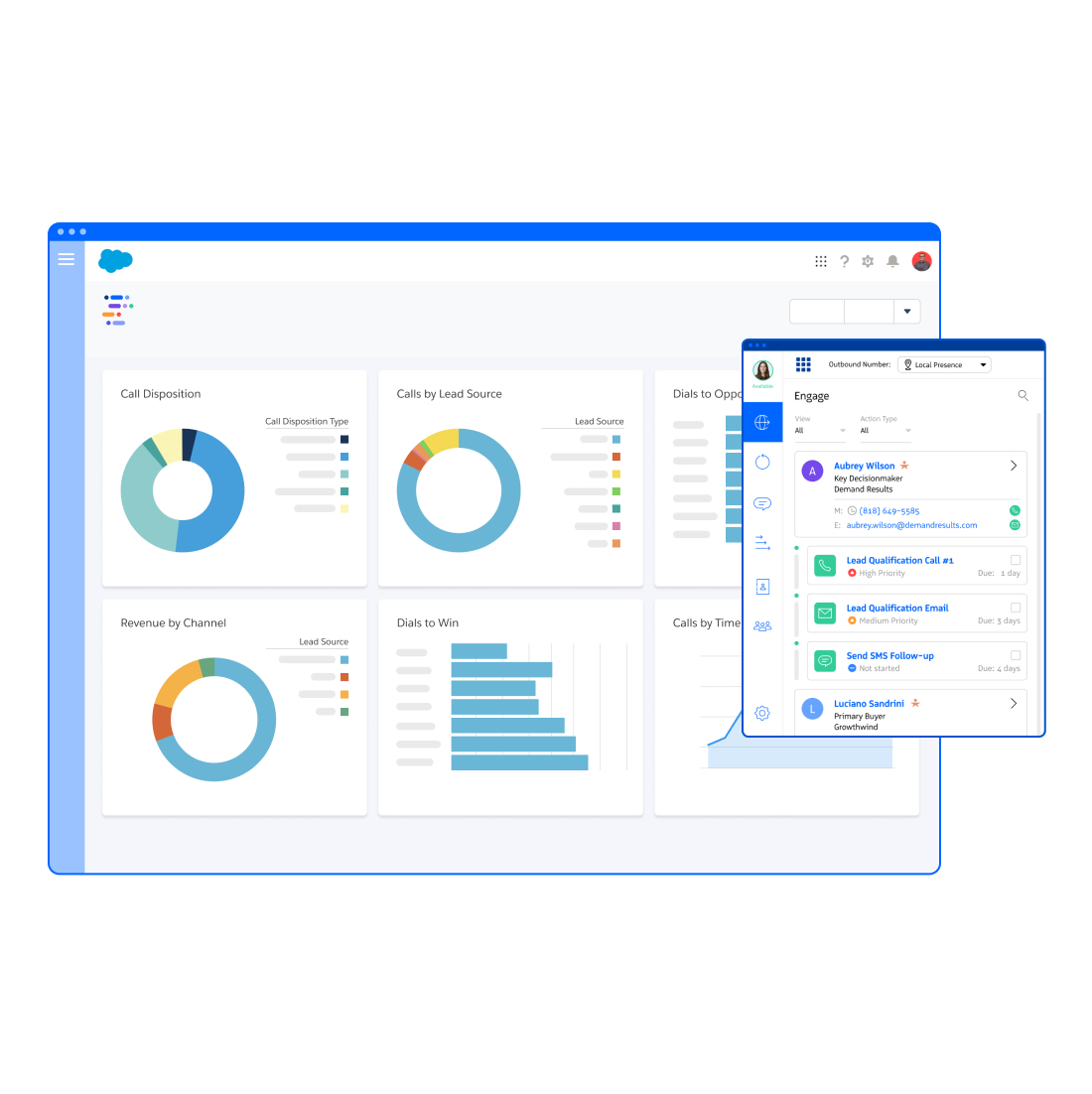
Reps work from an Engage View of due and upcoming actions. Admins define sequence steps, enrollment and exit rules, and Salesforce-based conditions. The result is a repeatable workflow that supports the playbook while leaving room for rep judgment and buyer context.
How it works
Build a sequence around a buyer situation, give reps a usable queue, and inspect the outcomes.
Choose a focused workflow such as inbound follow-up, outbound prospecting, or opportunity follow-through. Configure calls, emails, SMS/MMS, and manual tasks, with timing appropriate to the buyer.
Use due and upcoming actions in Engage View to organize execution. Reps can complete, reschedule, and manage actions while working with Salesforce context and the connected communication channels.
Review sequence and step performance alongside Salesforce pipeline results. Inspect replies, connects, exits, and skipped steps to understand where the workflow needs a better message or a different action.
A practical example
Build a workflow that makes the first action clear and changes direction when the buyer engages.
Implementation
Sequences work best when enrollment, ownership, and exit behavior reflect the way your team actually sells.
Confirm the Salesforce objects and fields you will use. Guided Selling supports workflows involving Leads, Contacts, Opportunities, and Campaigns; validate your chosen motion and access.
Configure the RingDNA Dialer for call steps, connect supported Gmail or Outlook email accounts, and enable the messaging capabilities required by your sequences.
Define manual or automatic enrollment, Salesforce-based conditions, ownership, and exit criteria. Test replies, field changes, and other relevant conditions before rollout.
Prepare approved templates, merge fields, snippets, sending practices, and consent requirements. Manual tasks can support research and social outreach; they do not imply automated social messaging.
AI email drafting requires the relevant Revenue AI licensing. Agree on sequence metrics and Salesforce outcome reports so activity volume does not become the only success measure.
Buying criteria
A sales engagement platform should make execution easier and give managers useful evidence of what happens next.
Choose one representative workflow. Include a sales leader, a rep, and the administrator who will own the setup.
One connected revenue workflow
Extend the workflow with configured guidance while reps are speaking with buyers.
Explore Moments ↗See how the broader platform connects with your Salesforce sales process.
Built for Salesforce ↗Check which existing capabilities a unified workflow could replace.
Explore consolidation ↗Your questions
Yes. Guided Selling is Revenue.io’s Salesforce-native sales engagement and sequencing product. It organizes supported call, email, messaging, and manual steps into a repeatable outreach workflow.
Sequences can include RingDNA call steps, email through connected supported Gmail or Outlook accounts, SMS/MMS, and manual tasks. Availability depends on the products and channels configured for your team.
Yes. Entrance and exit conditions can use Salesforce field values, campaign membership, and configured logic. Confirm supported conditions and test the exact workflow before launch.
Do not assume a universal stopping rule. Administrators configure exit behavior. Test how replies and other relevant conditions affect each sequence so follow-up matches the intended buyer experience.
Moments provides configured guidance during live conversations. Guided Selling organizes outreach and follow-up. They serve different parts of the sales workflow and can be used together.
Use sequence and step metrics to understand execution, then connect them with Salesforce pipeline and revenue outcomes. Compare relevant groups and time periods before attributing a change in performance to a sequence alone.
Your team’s next step
See a sequence built around your Salesforce workflow, channels, and buyer follow-up requirements.
Book a demo
"Revenue.io is the very first sales system that I have just been unequivocally happy with and would recommend to everyone."

"My favorite Revenue.io product is Guided Selling. With Guided Selling, reps are getting more engagement and a shorter runway to build pipeline."

Revenue.io delivers real-time, in-Salesforce guidance so every rep knows who to contact, when to follow up, and how to win more deals.